
Joomla guide v1.0.0
com_oui_hub connects your Joomla site to WooCommerce, PrestaShop, Shopify, Dolibarr, Pennylane and Plausible. Six connectors, one dashboard, your data stays put.
Overview
com_oui_hub connects your Joomla site to WooCommerce, PrestaShop, Shopify, Dolibarr, Pennylane and Plausible. Six connectors, one dashboard, your data stays put.
Requirements
- Joomla 4.4, 5 or 6 depending on the package version.
- PHP 8.1 or later is recommended.
- A recent backup before installation or update.
Installation
- Download the ZIP package and do not extract it.
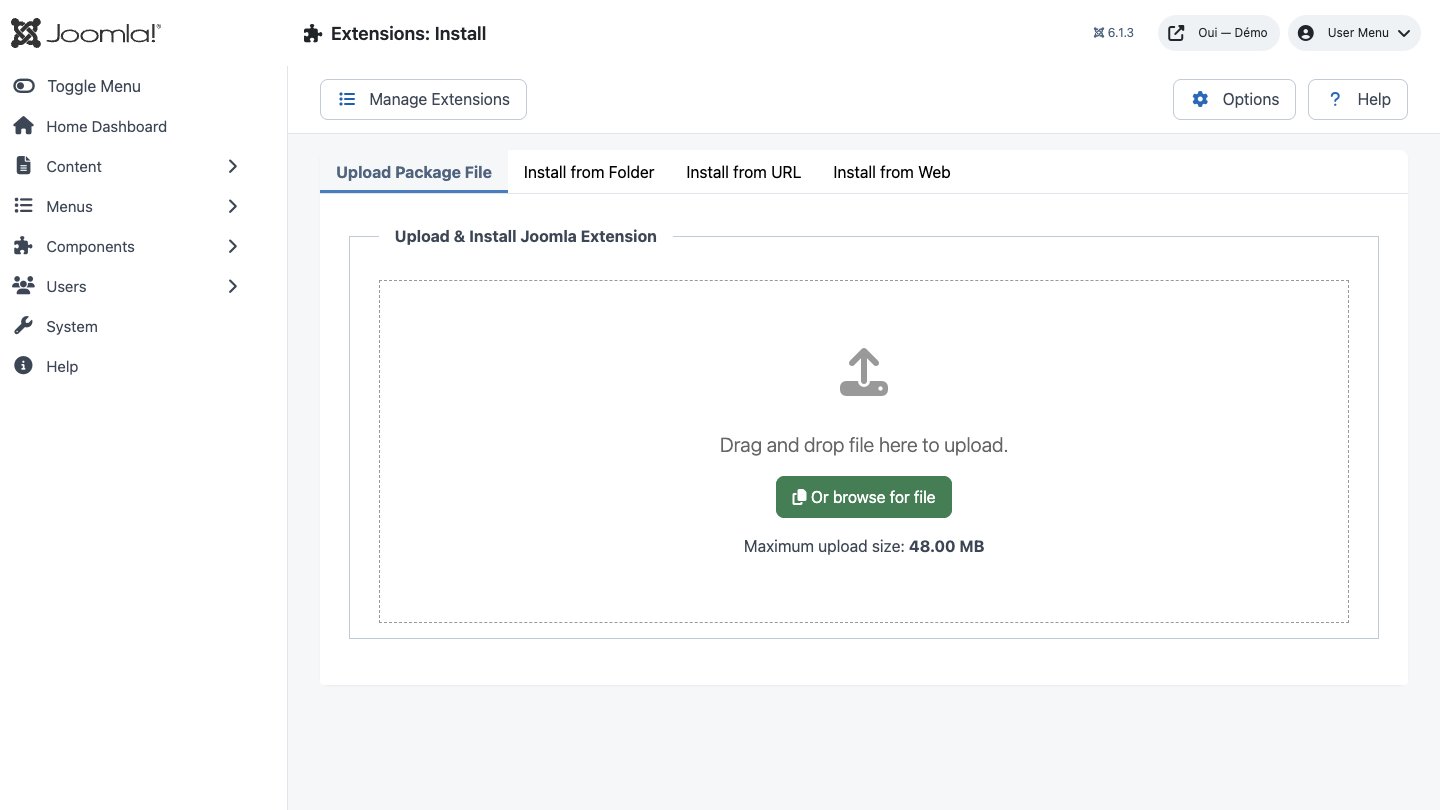
- In Joomla, open System → Install → Extensions.
- Drop the ZIP into the installation area and wait for the confirmation message.
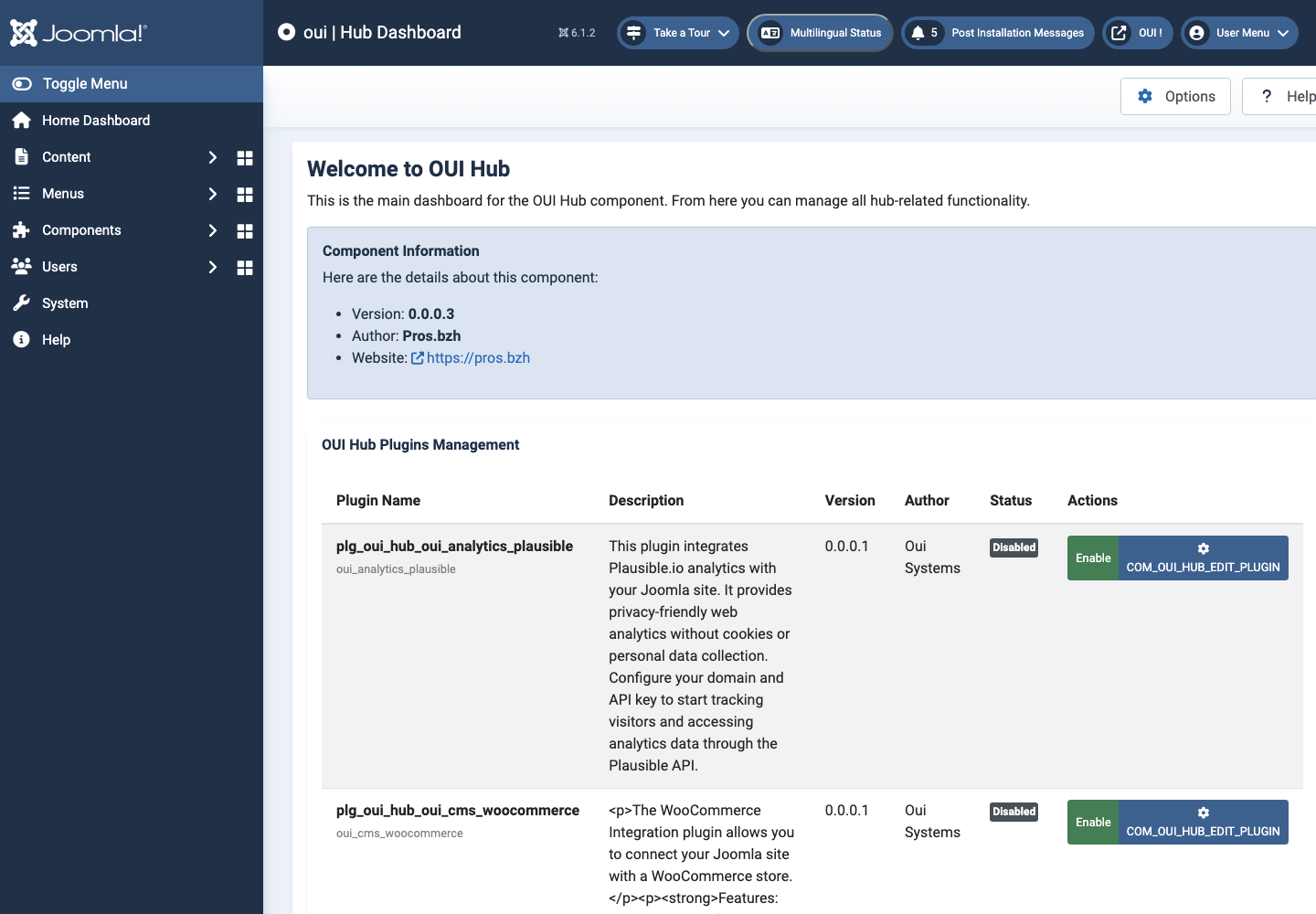
- Open the component from Components. If the package includes a plugin, check its status under System → Manage → Plugins.
- Review component permissions before opening it to the team.
Initial configuration
- Open the extension dashboard.
- Open Options and review global settings.
- Grant Create, Edit, Delete and Configure permissions to the appropriate groups.
- Create a first test item and check the frontend when a public view is provided.
- Enable bundled plugins or scheduled tasks only when they are needed.
Features
A plugin group of its own
The component establishes the oui_hub Joomla plugin group. Every connector is an ordinary plugin in that group, so it installs, enables and updates through the machinery your team already knows. Nothing bespoke to learn.
The Welcome board
The Welcome view fires an onBienvenueRender event and every enabled connector draws its own panel in response. Cards can be rearranged by dragging, and the order each person chooses is remembered in their browser.
My Hub, one per person
Every signed-in user builds their own shortlist of connectors. The selection lives in #__oui_hub_items and every query is scoped to created_by, so nobody can read or edit anybody else's list.
Configuration in a modal
Each connector ships a plugin-form/form.xml descriptor. The hub loads it with Joomla's own Form class, renders the fields in a modal and stores the answers as JSON — no page reload, no separate settings screen.
An administrator console
Two back-office views — Dashboard and Connectors — list every oui_hub plugin found on disk with its version, author and state. Enabling one is a single click over AJAX, and the plugin cache is cleared for you.
Joomla permissions, honoured
The component declares seven actions in access.xml and checks core.manage on every write, AJAX endpoints included. Each form submission carries an anti-CSRF token.
Install the package
One ZIP through the extension manager. Joomla deploys the component, the six oui_hub connectors, and creates the four database tables with their indexes.
Enter your credentials
Each connector asks for exactly what it needs: shop URL, consumer key and secret, API token, company identifier. Secrets go into password fields and stay inside your Joomla installation.
First steps
- Start with a simple use case and non-sensitive data.
- Validate the result with the team that will use the extension.
- Record site-specific choices such as roles, automations, templates and integrations.
- Roll out gradually, then monitor logs and user feedback.
Screenshots
Troubleshooting
- The extension does not appear after installation
- Check the installer message and the component/plugin status, then clear Joomla or WordPress caches.
- An action is denied
- Review the user group permissions, session token and any security restrictions.
- The output does not match the site
- Test with caching disabled, inspect template overrides and look for CSS or JavaScript conflicts.
- An external integration fails
- Check the URL, credentials, quotas and logs without copying secrets into a support request.
Updating and uninstalling
Before updating, back up files and the database, read the release notes, and test on a copy of the site. Export useful data before uninstalling. Removing a package may remove several related components, modules or plugins.