
Joomla guide v1.0.1
AllMedias centralises images, video, audio, documents and Lottie inside Joomla: one browser, WebP conversion, albums in 6 layouts and a reusable media picker.
Overview
AllMedias centralises images, video, audio, documents and Lottie inside Joomla: one browser, WebP conversion, albums in 6 layouts and a reusable media picker.
Requirements
- Joomla 4.4, 5 or 6 depending on the package version.
- PHP 8.1 or later is recommended.
- A recent backup before installation or update.
Installation
- Download the ZIP package and do not extract it.
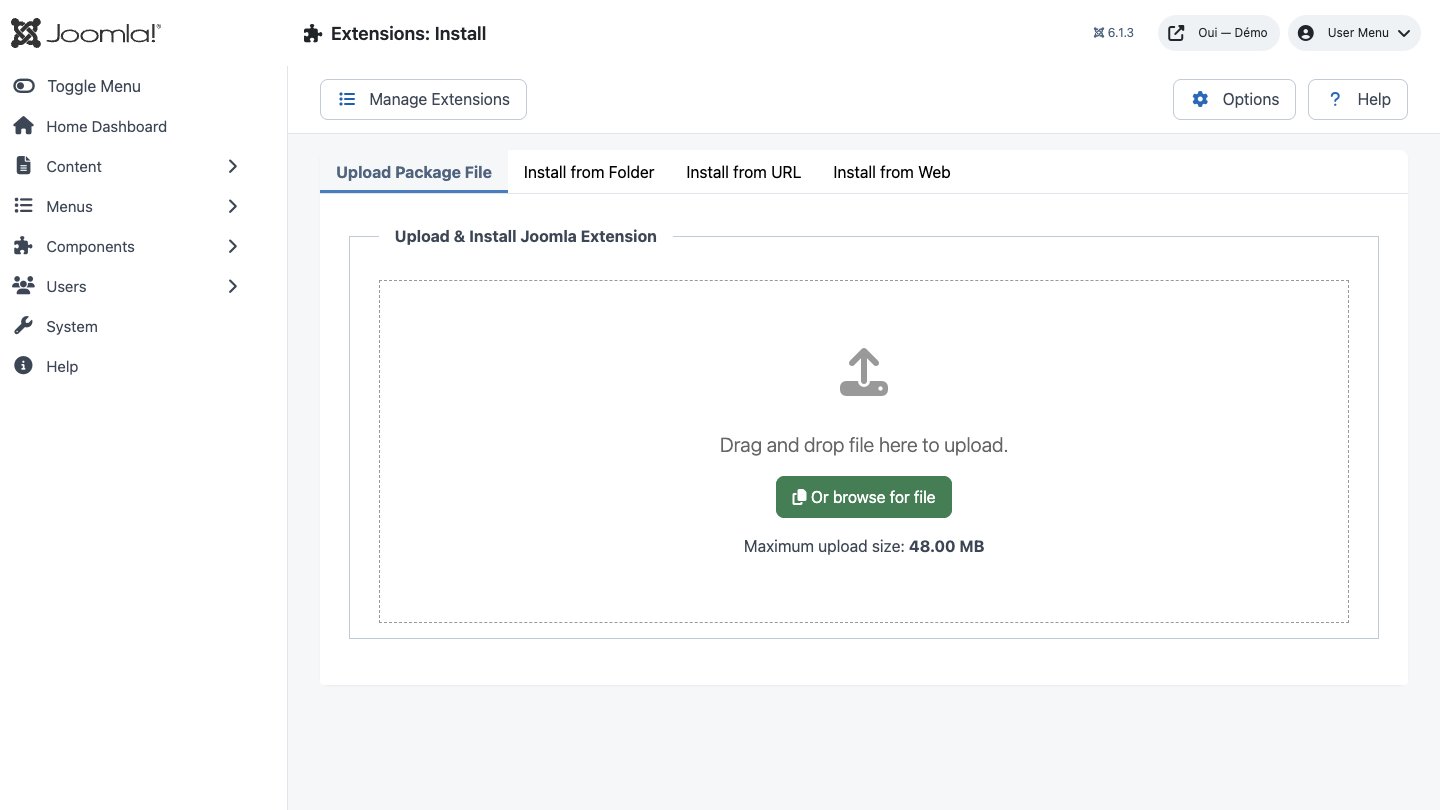
- In Joomla, open System → Install → Extensions.
- Drop the ZIP into the installation area and wait for the confirmation message.
- Open the component from Components. If the package includes a plugin, check its status under System → Manage → Plugins.
- Review component permissions before opening it to the team.
Initial configuration
- Open the extension dashboard.
- Open Options and review global settings.
- Grant Create, Edit, Delete and Configure permissions to the appropriate groups.
- Create a first test item and check the frontend when a public view is provided.
- Enable bundled plugins or scheduled tasks only when they are needed.
Features
One unified browser
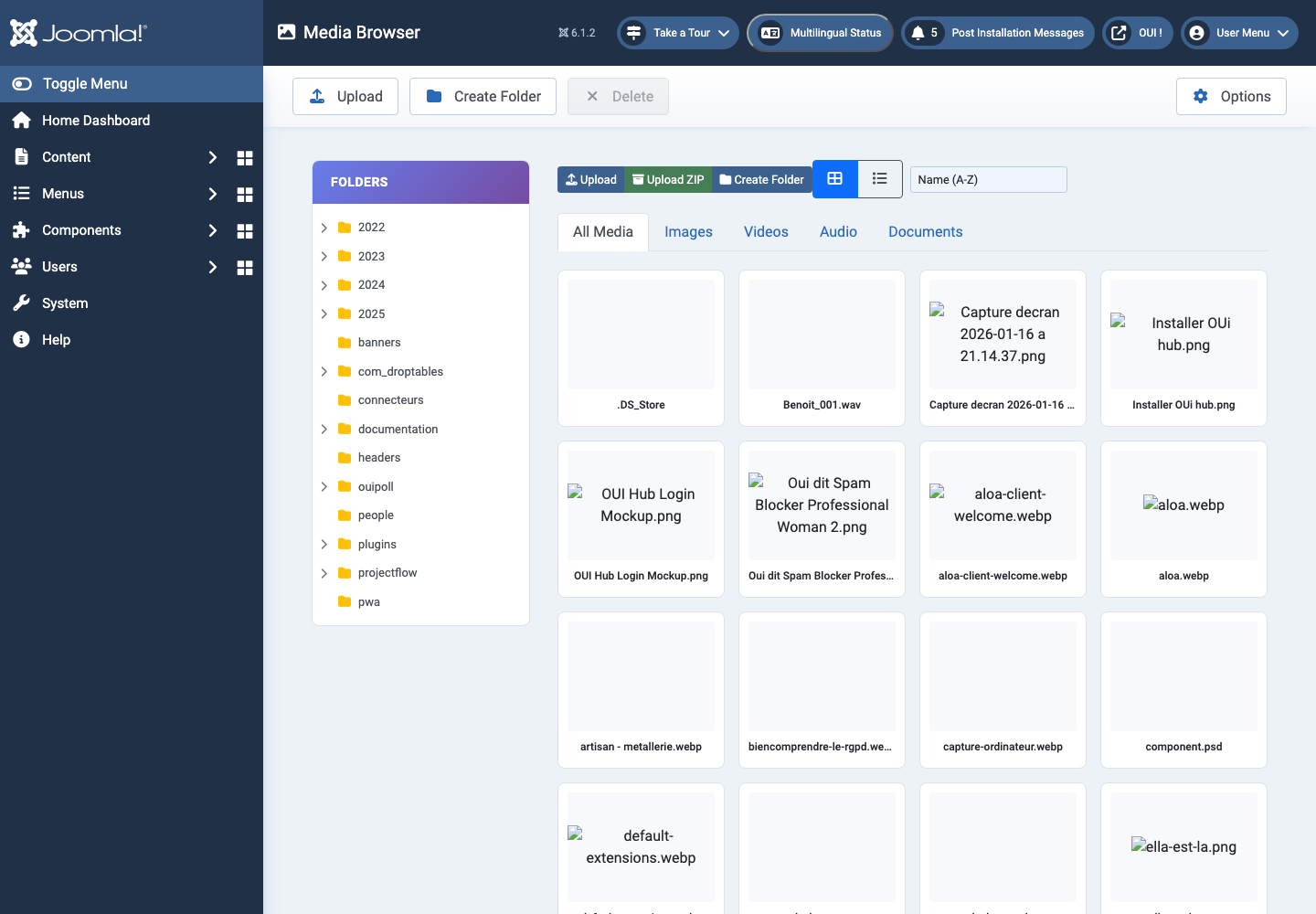
Folder tree on the left, media grid on the right. Images, video, audio, documents and Lottie are recognised across 28 file extensions, and each family gets its own filter tab.
Uploads on a short leash
Every file is checked three times: extension against a nine-format allowlist, real MIME type read by finfo against nine permitted values, and an outright refusal of PHP extensions.
Bulk ZIP import
Drop in an archive: AllMedias creates a folder named after it, extracts only the 8 permitted image formats, and records each image in the database with its size, dimensions and MIME type.
WebP & AVIF conversion
Convert to WebP, AVIF, JPEG or PNG, on import or from the context menu, using GD, ImageMagick or GraphicsMagick. Past five files the batch moves into a persistent queue.
Built-in image editor
Quarter-turn rotation, flip, cropping, resizing and four filters: greyscale, sepia, blur and sharpen. The preview is immediate and saving rewrites the file on the server.
Editorial metadata
Title, alt text, caption and description are entered on a dedicated panel, beside a preview and the file's technical summary. Saved over AJAX, with no page reload.
Install the package
One ZIP archive, one click in the extension manager. The package drops in the component and its system plugin, creates the 6 tables, and checks that the server really is running PHP 8.0 or later.
Organise the library
Create your folders, upload files one at a time or by ZIP archive, convert whatever needs converting, then group everything into categories and albums.
First steps
- Start with a simple use case and non-sensitive data.
- Validate the result with the team that will use the extension.
- Record site-specific choices such as roles, automations, templates and integrations.
- Roll out gradually, then monitor logs and user feedback.
Screenshots
Troubleshooting
- The extension does not appear after installation
- Check the installer message and the component/plugin status, then clear Joomla or WordPress caches.
- An action is denied
- Review the user group permissions, session token and any security restrictions.
- The output does not match the site
- Test with caching disabled, inspect template overrides and look for CSS or JavaScript conflicts.
- An external integration fails
- Check the URL, credentials, quotas and logs without copying secrets into a support request.
Updating and uninstalling
Before updating, back up files and the database, read the release notes, and test on a copy of the site. Export useful data before uninstalling. Removing a package may remove several related components, modules or plugins.