
Joomla guide v1.0.0
OUI4All adds an accessibility toolbar to your Joomla site: 6 contrast modes, text sizing, dyslexia-friendly font, click-to-read speech, read mode. 31 options.
Overview
OUI4All adds an accessibility toolbar to your Joomla site: 6 contrast modes, text sizing, dyslexia-friendly font, click-to-read speech, read mode. 31 options.
Requirements
- Joomla 4.4, 5 or 6 depending on the package version.
- PHP 8.1 or later is recommended.
- A recent backup before installation or update.
Installation
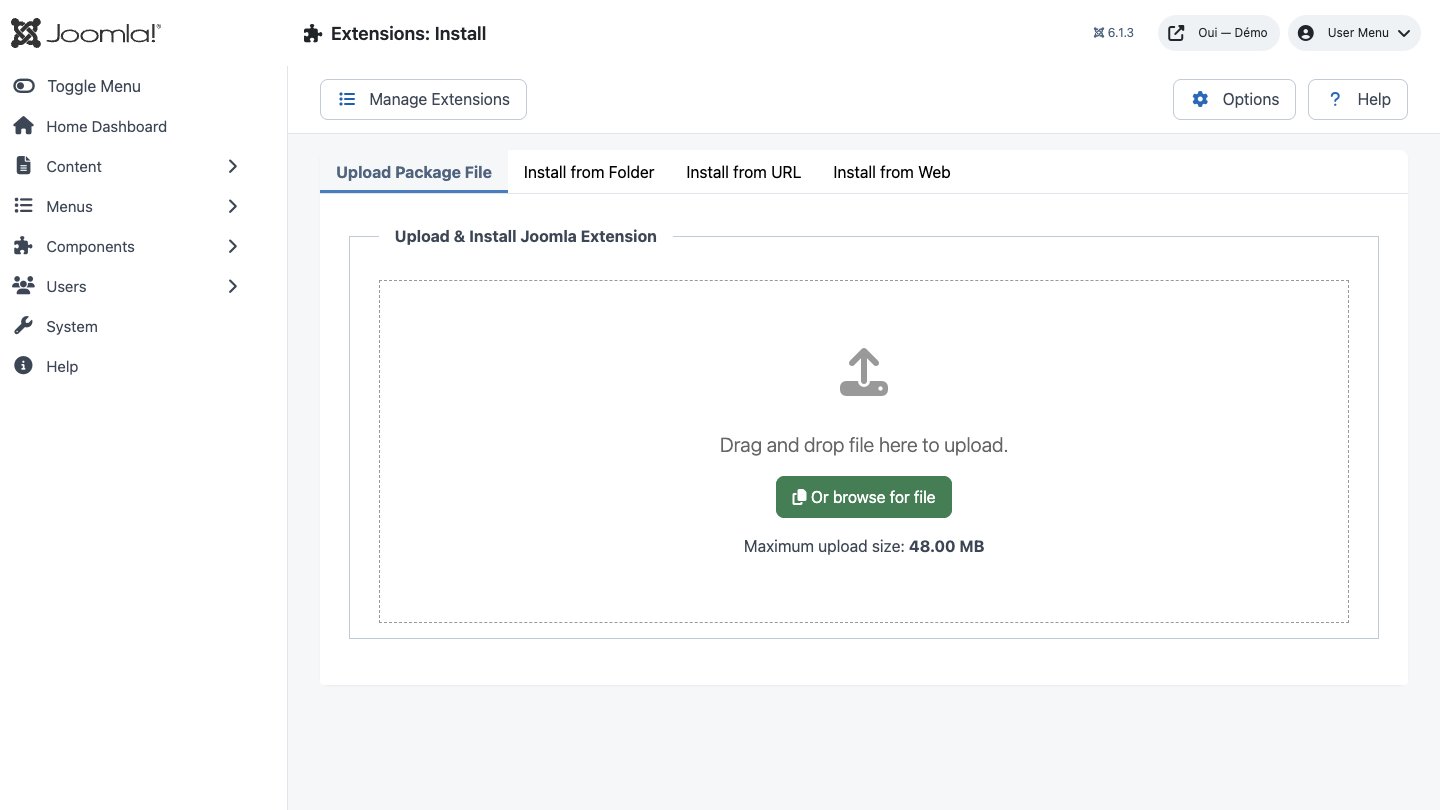
- Download the ZIP package and do not extract it.
- In Joomla, open System → Install → Extensions.
- Drop the ZIP into the installation area and wait for the confirmation message.
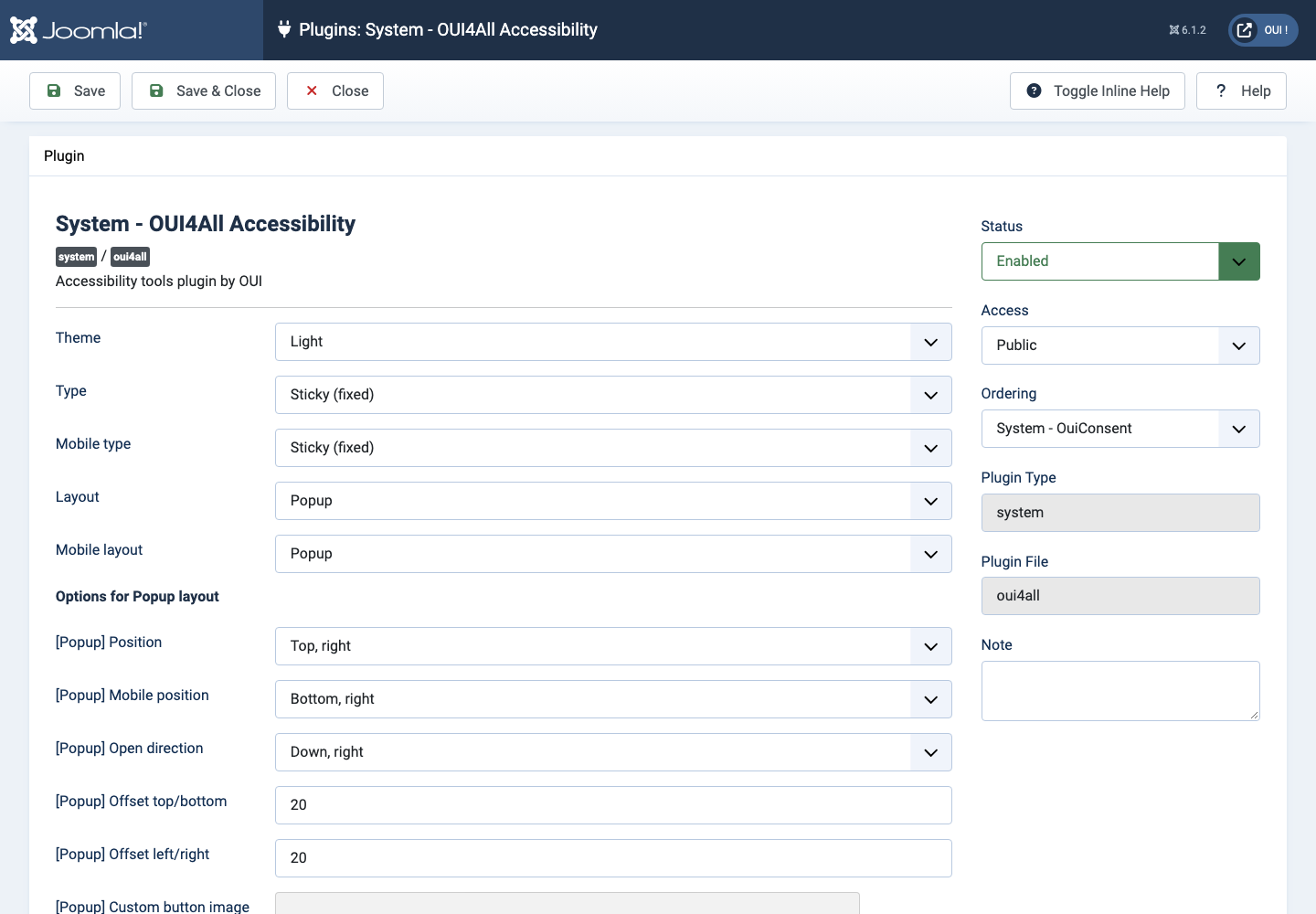
- Open the component from Components. If the package includes a plugin, check its status under System → Manage → Plugins.
- Review component permissions before opening it to the team.
Initial configuration
- Open the extension dashboard.
- Open Options and review global settings.
- Grant Create, Edit, Delete and Configure permissions to the appropriate groups.
- Create a first test item and check the frontend when a public view is provided.
- Enable bundled plugins or scheduled tasks only when they are needed.
Features
Six contrast modes
Inverted colours, dark contrast, light contrast, monochrome, low and high saturation. Only one is active at a time, applied as a class on — your stylesheet is never rewritten.
Text from 50% to 200%
The widget reads the computed size of each block of text and applies a ratio to it, in steps of 10%. Your theme's typographic hierarchy survives intact.
Line height and letter spacing
Two independent controls over the same 50–200% range. Opening up the leading and loosening the tracking makes a real difference to a tired, partially sighted or dyslexic reader.
Whole-page scaling
A global 50–200% scale applied to the page body, with the width corrected automatically so nothing spills into horizontal scrolling — for visitors who need the images and buttons to grow too, not just the text.
Dyslexia-friendly typeface
One tap swaps your site's typography for OpenDyslexic across body text, links, lists, tables and form fields. The font is only downloaded the moment a visitor turns the option on.
Click-to-read speech
With the mode on, clicking a paragraph, heading, list item or table cell reads it aloud. It uses the browser's own speech synthesis, in the language the page declares, picking the best voice available.
Read mode
Every top-level block on the page is constrained to 800 pixels and centred. Over-wide columns become readable again, while the structure of the site stays exactly where it was.
Highlight links and headings
Two independent toggles: a 3-pixel orange outline around every link, a blue outline around headings h1 to h6. Structure and clickable areas become obvious at a glance.
First steps
- Start with a simple use case and non-sensitive data.
- Validate the result with the team that will use the extension.
- Record site-specific choices such as roles, automations, templates and integrations.
- Roll out gradually, then monitor logs and user feedback.
Screenshots
Troubleshooting
- The extension does not appear after installation
- Check the installer message and the component/plugin status, then clear Joomla or WordPress caches.
- An action is denied
- Review the user group permissions, session token and any security restrictions.
- The output does not match the site
- Test with caching disabled, inspect template overrides and look for CSS or JavaScript conflicts.
- An external integration fails
- Check the URL, credentials, quotas and logs without copying secrets into a support request.
Updating and uninstalling
Before updating, back up files and the database, read the release notes, and test on a copy of the site. Export useful data before uninstalling. Removing a package may remove several related components, modules or plugins.